Every shortcut.
Always visible.
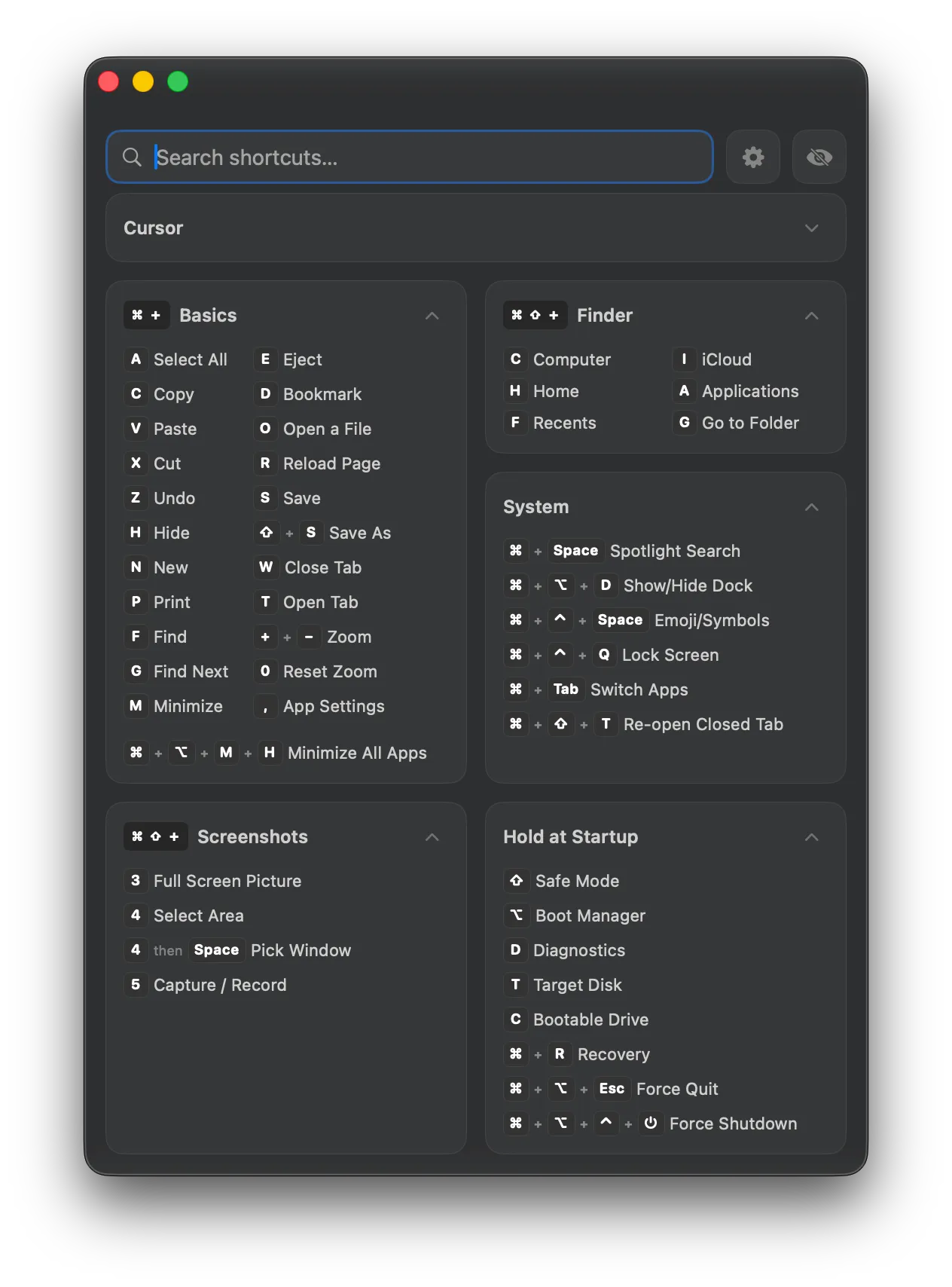
A floating shortcut panel for Mac that detects your active app and shows every keyboard shortcut at a glance. Fast, ergonomic, and always within reach.

Every shortcut.
Always visible.
A floating shortcut panel for Mac that detects your active app and shows every keyboard shortcut at a glance. Fast, ergonomic, and always within reach.
One-time purchase · No subscription · No tracking
You know the shortcut. You just forgot it.
You've looked it up before. Command-something. Maybe Shift was involved. You open a new tab, search "Figma shortcuts," scroll past the ads, find the one you need, switch back... and it's gone.
Or maybe you hold a key and stare at a tiny overlay, trying to parse a wall of text before it vanishes.
Shortcuts are supposed to save you time, not cost it. They should be visible, organized, and there the moment you look — not hidden behind a search or a long press.
Loved by Mac users
Mac App Store
“I never realized how many shortcuts I was missing until I saw them all laid out. Now I reach for the keyboard instead of the mouse every time.”
Alex K.
Software Developer
“The floating panel is genius. It sits in the corner, knows what app I'm in, and just shows me the shortcuts. No searching, no guessing.”
Maria L.
UX Designer
“Worth every penny. I use Figma, VS Code, and Terminal daily — having all the shortcuts visible in one place changed my workflow completely.”
James R.
Product Engineer
Take shortcuts, not detours.
One interface, everything you need to know.
4,888+ shortcuts across 107 apps
From Finder basics to Figma layers to Excel formulas — the shortcuts you actually use, organized by app, ready at a glance. No memorization required.
Always there. Never in the way.
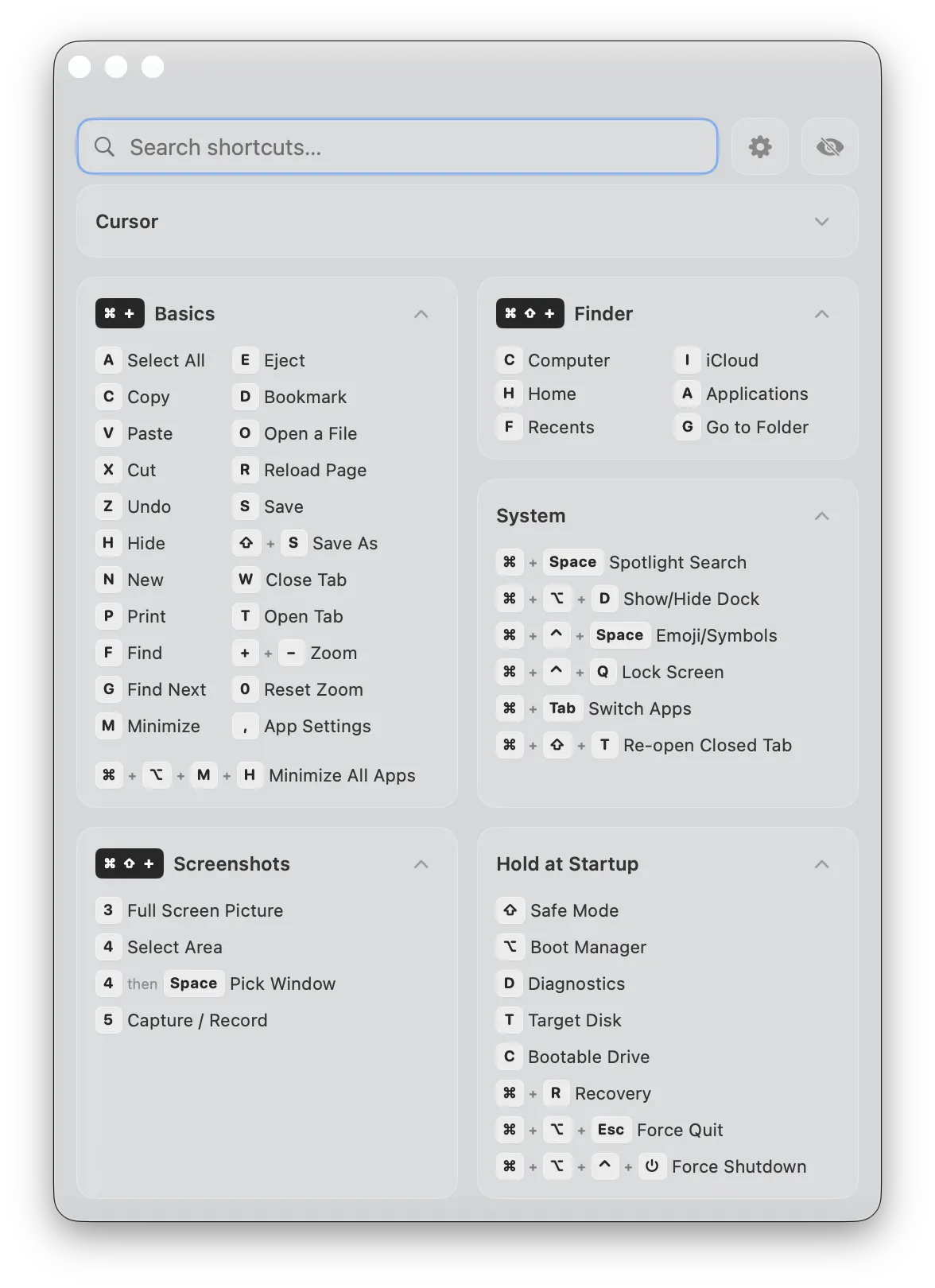
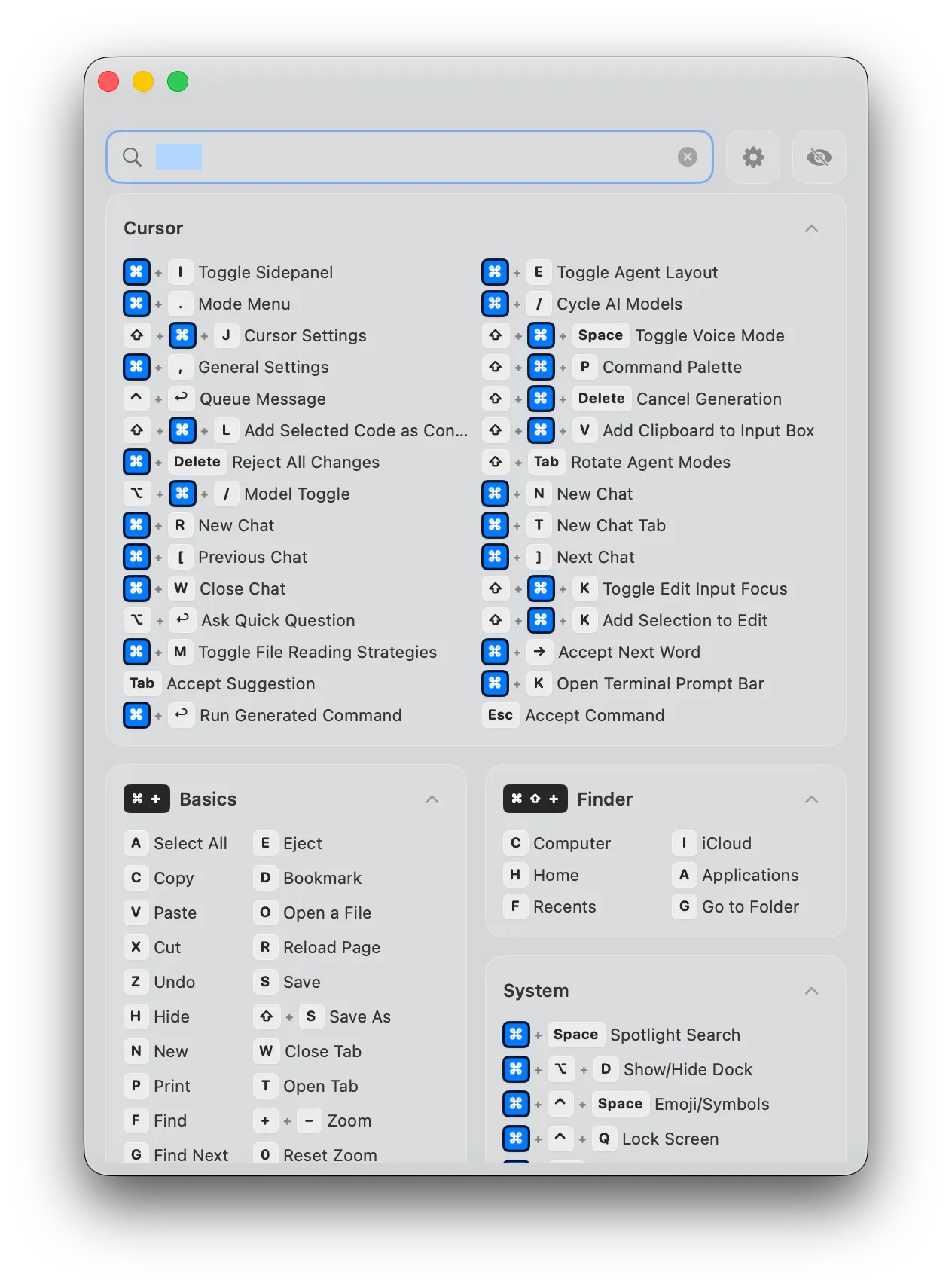
KeyShortcut floats above your workspace in a compact glass panel. It doesn't steal focus, doesn't block your clicks, doesn't interrupt your flow. Pin it to any corner or drag it wherever you want. Toggle it with one hotkey.
Knows what you're using
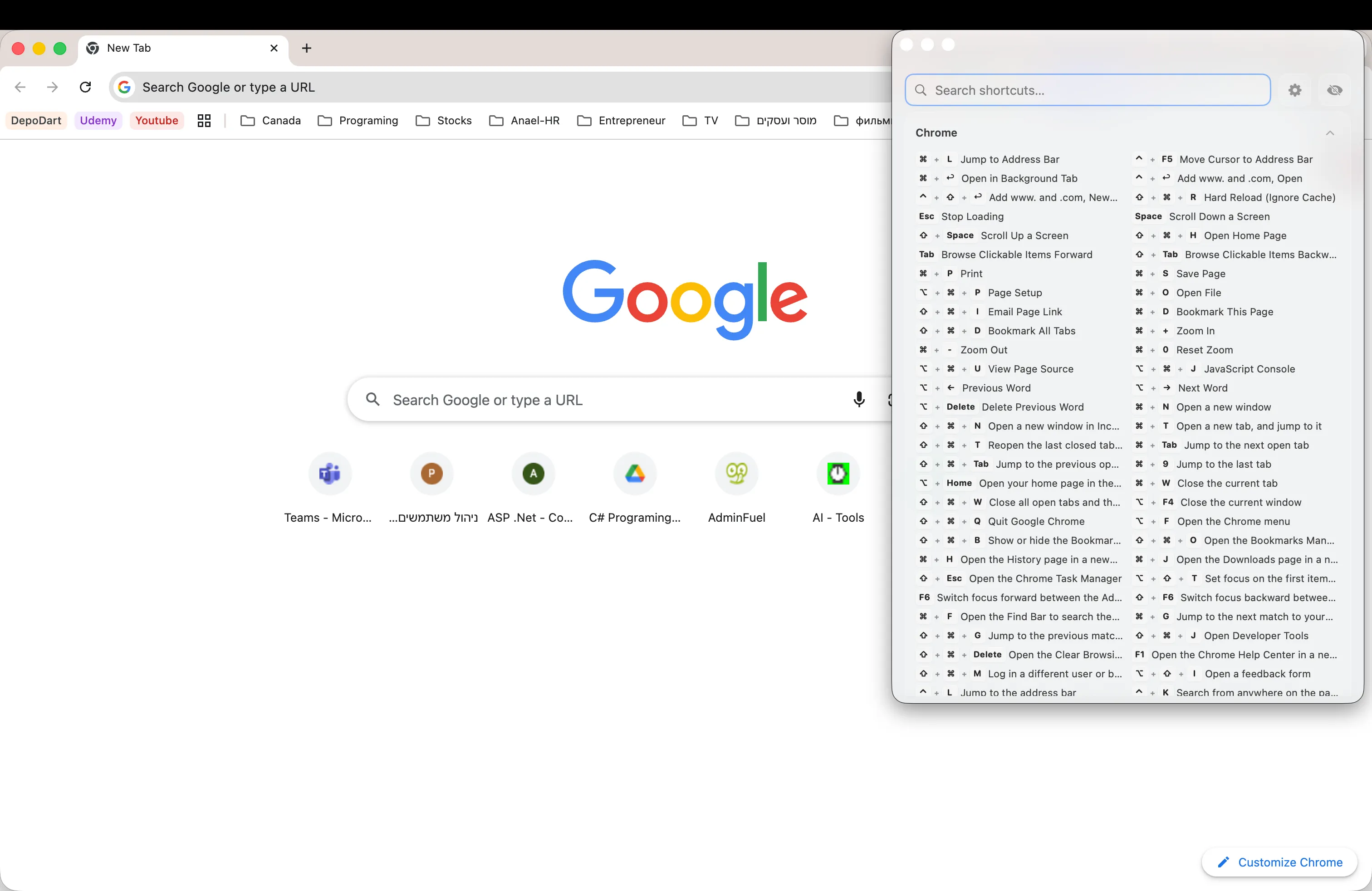
Switch to Figma, and Figma shortcuts appear. Switch to VS Code, and you see VS Code shortcuts. KeyShortcut detects your active app and shows the right shortcuts automatically.
Your shortcuts, your rules
Create custom shortcuts for anything — open apps, launch URLs, run Apple Shortcuts, or just keep a personal reference card. Assign a global hotkey and trigger them from anywhere on your Mac.
Crafted with care.
Down to every pixel.
Glass UI
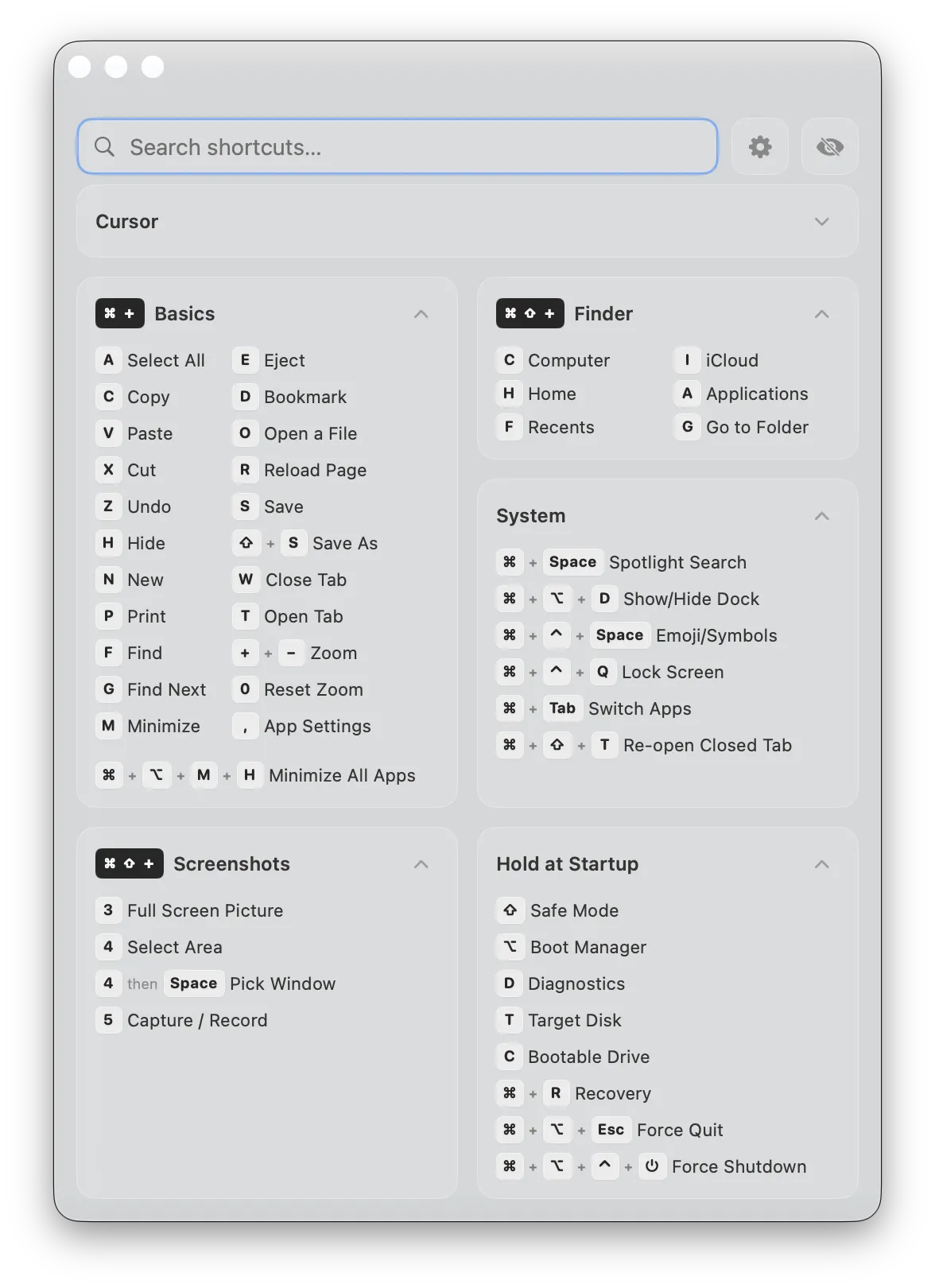
Follows your system appearance. Light mode, dark mode — it looks right either way.
11 languages
English, Spanish, French, Portuguese, Russian, Chinese, Hindi, Arabic, Hebrew, Bengali, and Urdu. Interface and shortcuts, fully localized.
Key press highlighting
Press a modifier key and see it light up in the panel. A subtle visual confirmation that keeps you oriented.
Clipboard preview
See what's on your clipboard without pasting it. A small toast appears when you copy — tap it for the full contents.
Instant search
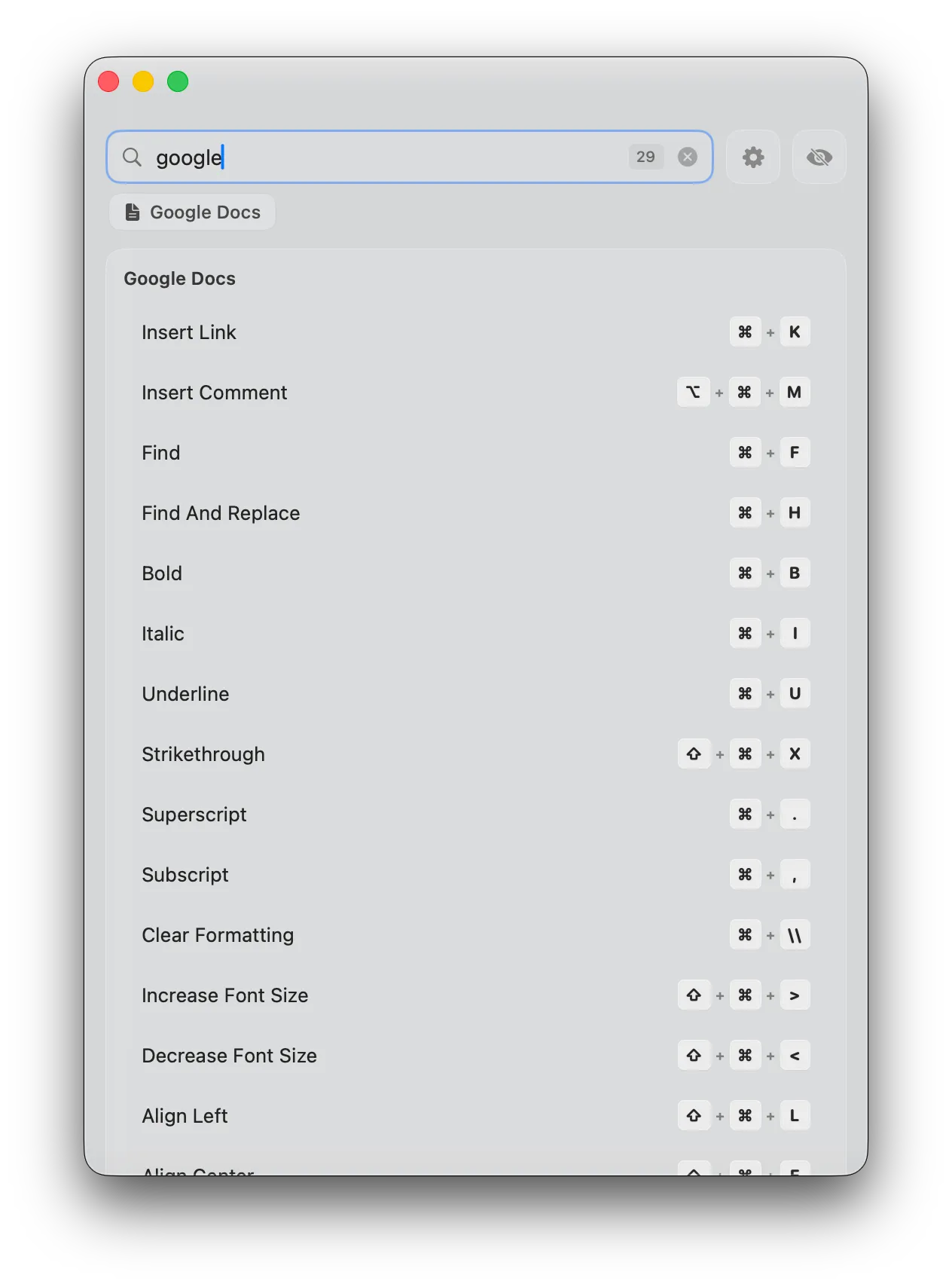
Type to search across every shortcut in every app. Results are grouped and ranked so you find what you need in a keystroke or two.
Completely private
No analytics. No tracking. No data collection. No internet connection required. KeyShortcut runs entirely on your Mac, and your data stays there.
Ready to try it?
Beautiful shortcut cards
Every shortcut displayed with styled keycap badges — just like the real keys on your keyboard.
Shortcuts for the apps
you use every day
107 apps. 4,888+ shortcuts. From system essentials to pro tools.
 Safari
 Chrome
 Arc
Arc Firefox
 Brave
Brave Edge
Edge Vivaldi
 Xcode
Xcode VS Code
 Cursor
 IntelliJ IDEA
 Sublime Text
 PyCharm
 GoLand
 PHPStorm
 CLion
CLion RubyMine
 Android Studio
 iTerm2
 Warp
Warp Vim
Vim Chrome DevTools
 Sketch
 Photoshop
 Illustrator
 After Effects
 Blender
 Slack
Slack Discord
 Telegram
 Zoom
Zoom Teams
Teams Gmail
Gmail Notion
 Obsidian
 Things
 Todoist
 Linear
 Jira
Jira Trello
 Asana
Asana ClickUp
 Google Docs
 Google Sheets
 Google Drive
 Bear
Bear 1Password
 Raycast
 Word
Word Excel
Excel PowerPoint
 Acrobat
 Spotify
 VLC
VLC Final Cut Pro
 DaVinci Resolve
 Finder
 Mail
Mail Notes
Notes Calendar
 Music
MusicDon't see your app? Import your own shortcut packs or create custom shortcuts for any app.
Browse by category
Find shortcuts for your favorite apps, organized by workflow.


Apple Apps










Development


















Productivity






Design






Microsoft Office

System Utils

Apple Apps17 apps
Development33 apps
Productivity21 apps
Design13 apps
Microsoft Office3 apps
System Utils1 apps
Questions and answers
Everything you need to know about KeyShortcut.
What macOS versions does KeyShortcut support?
Is this a subscription?
Does it work with my favorite app?
Is it private?
Can I add my own shortcuts?
Does it support my language?
How is KeyShortcut different from free alternatives?
Can I use it on multiple Macs?
Your Privacy Matters
Zero data collection in the app. Everything stays on your Mac.
Privacy Policy
- ✓The KeyShortcut app does not collect, store, or transmit any personal data. No analytics or tracking frameworks are included in the app.
- ✓No network requests are made by the app — it works entirely offline.
- ✓All user preferences (favorites, custom shortcuts, window position) are stored locally on your device using macOS UserDefaults.
- ✓KeyShortcut requests Accessibility permissions solely to detect which app is in the foreground and to monitor key presses for the "Follow Key Presses" feature. This data is never recorded or transmitted.
- ✓The keyshortcut.com website uses Cloudflare Web Analytics (cookie-free, no personal data) and Google AdSense. These services apply only to the website, not the app.
Terms of Use
- ✓KeyShortcut is provided "as is" without warranty of any kind, express or implied.
- ✓You may use KeyShortcut for personal and commercial purposes.
- ✓The app is distributed exclusively through the Mac App Store and is subject to Apple's standard terms and conditions.
- ✓We reserve the right to update these terms at any time. Continued use of the app constitutes acceptance of any changes.
Data Handling
- ✓Zero data collection in the app — we never see or access your information.
- ✓All app data stays on your device in the macOS app sandbox.
- ✓No third-party SDKs, analytics, or advertising frameworks in the app.
- ✓No cloud sync — your settings live exclusively on your Mac.
- ✓Uninstalling KeyShortcut removes all associated data from your system.
- ✓The website uses Cloudflare Web Analytics and Google AdSense. See our full privacy policy for details.
Take the short way.
One-time $7.99.
4,888+ shortcuts across 107 apps. No subscription. No tracking. Just shortcuts, always within reach.
macOS 13.0+ · No account required